Find the right command
Search more than 1,100 indexed Rhino 8 icons by command name, display name, or GUID instead of hunting through raw resources.
Free & open source · Windows x64
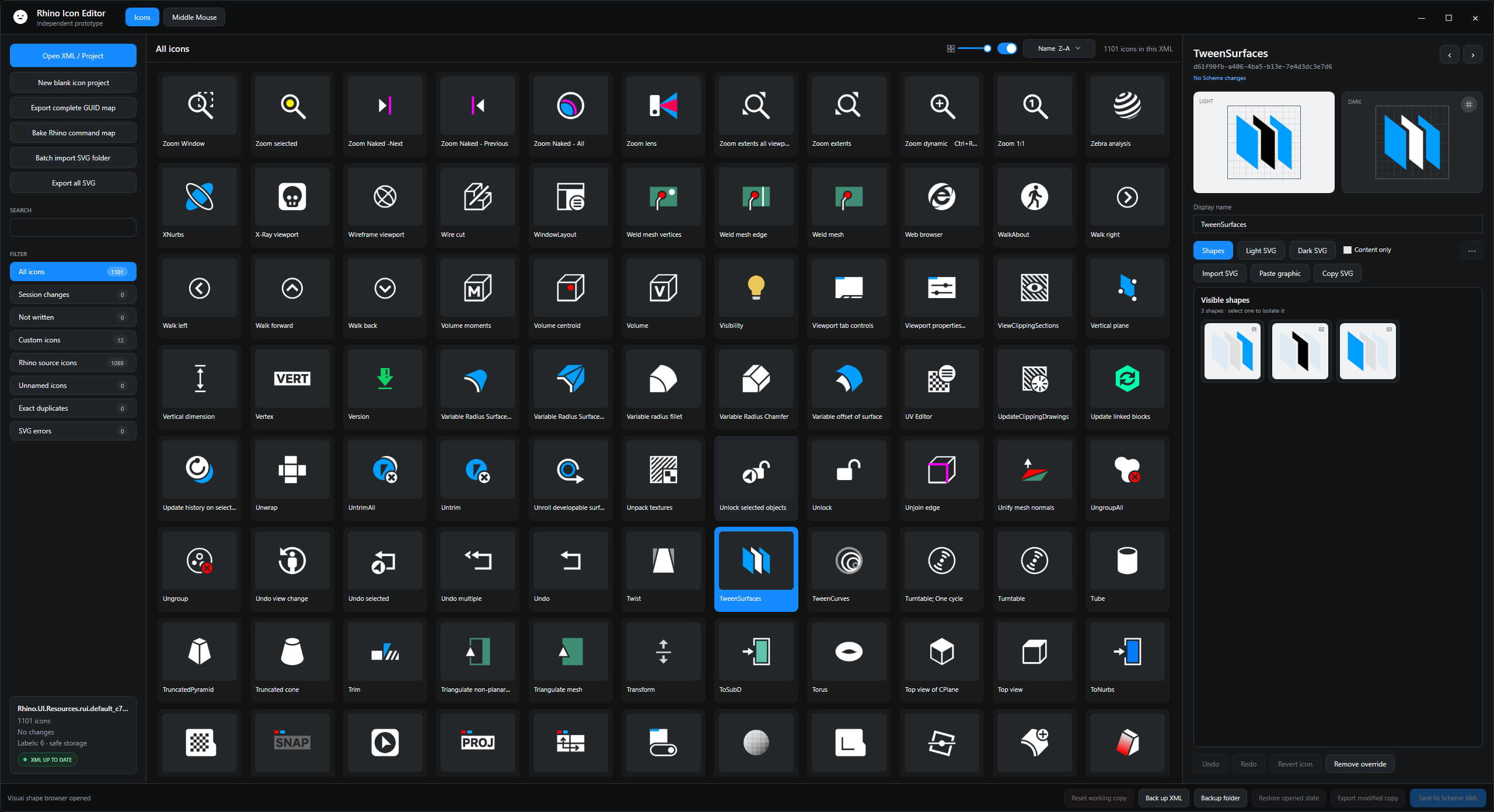
Search more than 1,100 Rhino 8 icons by command name, select the tool you want to change, compare Light and Dark SVG artwork, import your own design, and save with automatic backups.
For RhinoUI customers and icon authors
Use the editor when a RhinoUI icon does not fit your personal workflow, when you want to introduce your own symbol, or when you are building an entirely new Rhino 8 icon set.
Search more than 1,100 indexed Rhino 8 icons by command name, display name, or GUID instead of hunting through raw resources.
Compare Light and Dark previews, paste SVG or Illustrator artwork, isolate shapes, adjust colors, and fit artwork to the icon canvas.
Write only the icons you changed, detect external conflicts, export reusable SVG files, and create original plus timestamped backups.
Quick start
The current GitHub build is framework-dependent and requires the .NET 9 Desktop Runtime x64.
Download the Windows release and extract the whole folder. Keep Data, Help, runtimes, and DLL files beside the application.
Keep Rhino closed whenever you save changes directly to a live Scheme XML.
Run RhinoIconEditor.exe, open a Resources XML, or choose New blank icon project.
Search, preview, edit, back up, and save only the completed resources you intend to change.
Important distinction
You only need Icon Editor if you want to change individual icons. Use RhinoUI Manager included with the purchased ZIP for normal installation, theme adjustments, updates, and restoration.
Icon Editor is designed for this workflow. Search for the Rhino command, select its icon, compare the Light and Dark versions, import your artwork, and retain the automatic backups.
Start a blank icon project. The built-in catalog supplies searchable names and GUIDs, but no Rhino artwork or commercial theme SVG files. Only completed icons are exported.
The Popup Composer is experimental. Test it in a non-critical Scheme first. Container targets and direct macro-text authoring are outside the current release.
Rhino Icon Editor 1.1
Download the ready-to-run Windows build or inspect the MPL 2.0 source on GitHub.